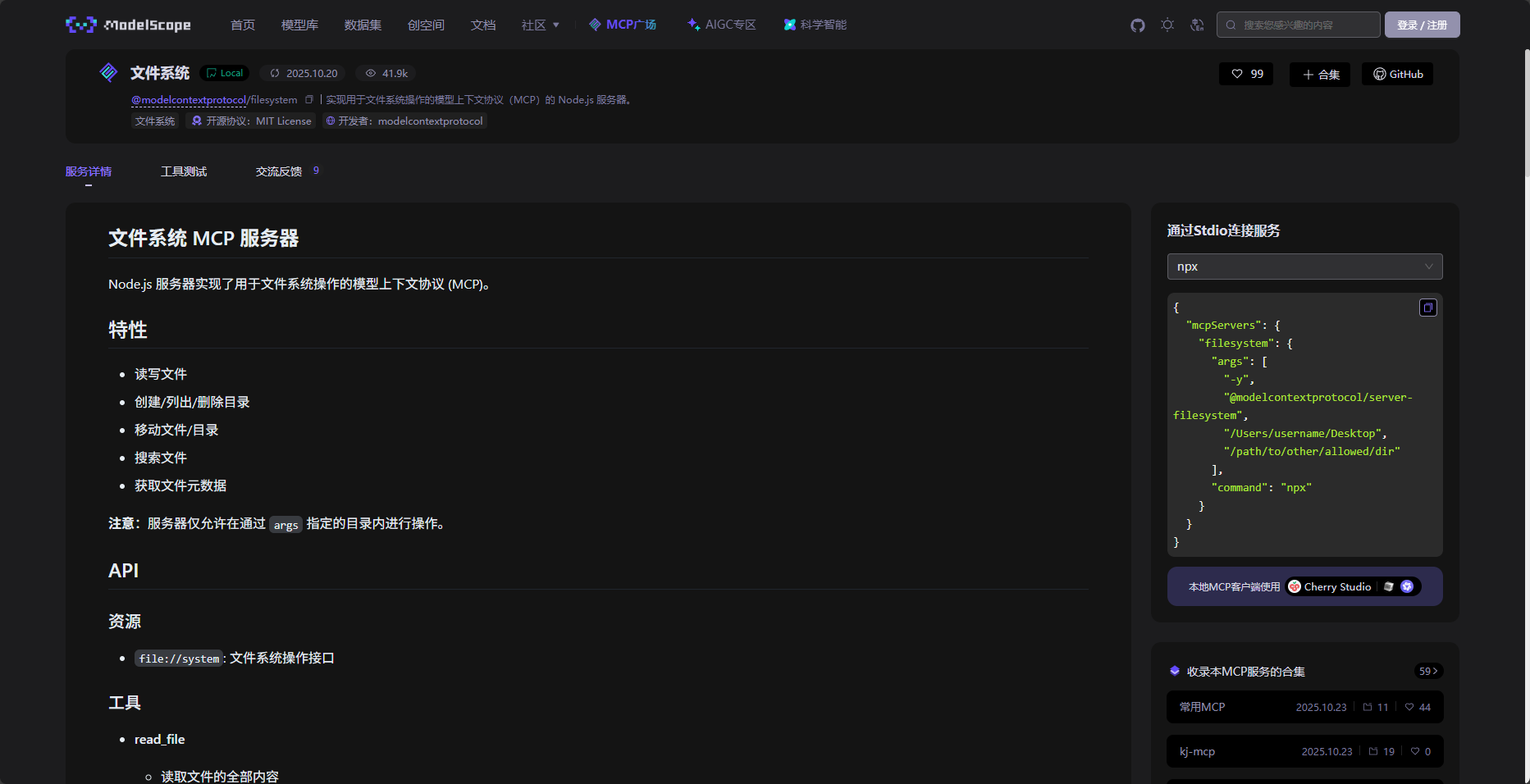
MCP(2) -- 原理
Intro
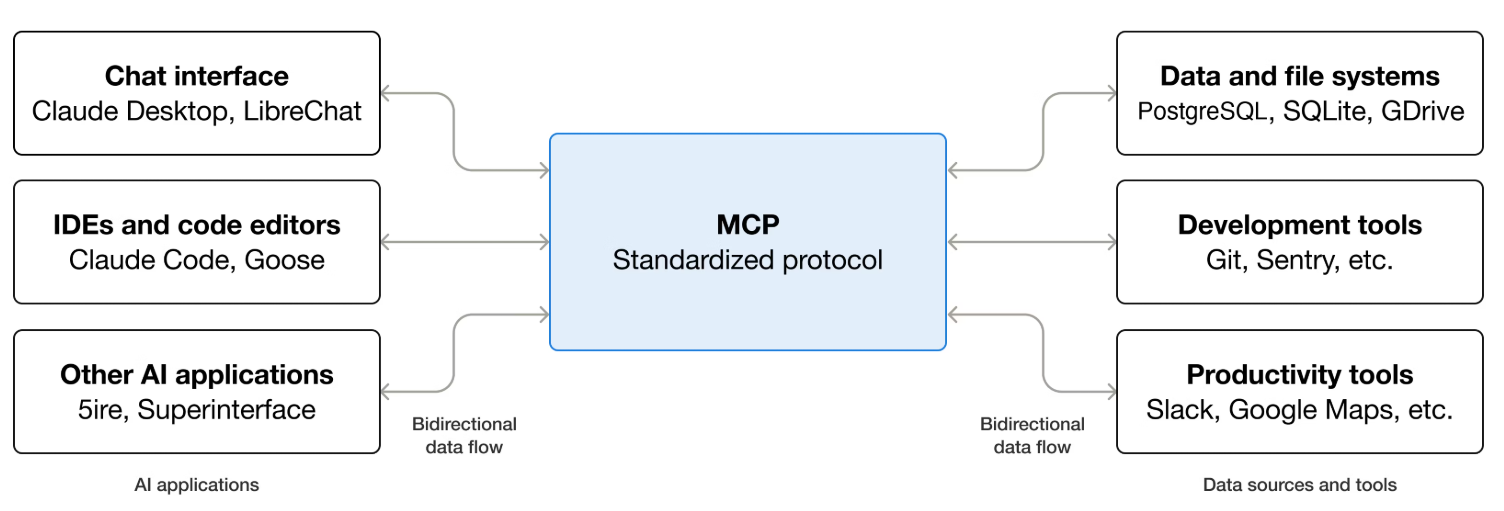
MCP 是一套标准协议,规定了应用程序之间如何通信。
通信方式:STDIO 、HTTP
通信格式:JSON-RPC
基本规范
下列每个规范都具体的有 request 规范 和 response 规范
🔥初始化 initialize
相当于握手确认
🔥工具发现 tools/list
其中 description 需要用清晰自然语言去描述函数功能
// request
{
  "jsonrpc": "2.0",
  "id": 1,
  "method": "tools/list",
  "params": {
    "cursor": "optional-cursor-value"
  }
}// response
{
"jsonrpc": "2.0",
"id": 1,
"result": {
"tools": [
{
"name": "get_weather",
"title": "Weather Information Provider",
"description": "Get current weather information for a location",
"inputSchema": {
"type": "object",
"properties": {
"location": {
"type": "string",
"description": "City name or zip code"
}
},
"required": ["location"]
}
}
],
"nextCursor": "next-page-cursor"
}
}🔥工具调用 tools/call
// request
{
  "jsonrpc": "2.0",
  "id": 2,
  "method": "tools/call", // 调用工具
  "params": {
    "name": "get_weather", // 工具名,对应工具发现中的name
    "arguments": { // 工具参数,需要和工具发现中的结构一致
      "location": "New York"
    }
  }
}// response
{
"jsonrpc": "2.0",
"result": {
"content": [
{
"type": "text",
"text": "两数求和结果: 3"
}
]
},
"id": 2
}返回值不止是文本类型,还有其他类型 Tools - Model Context Protocol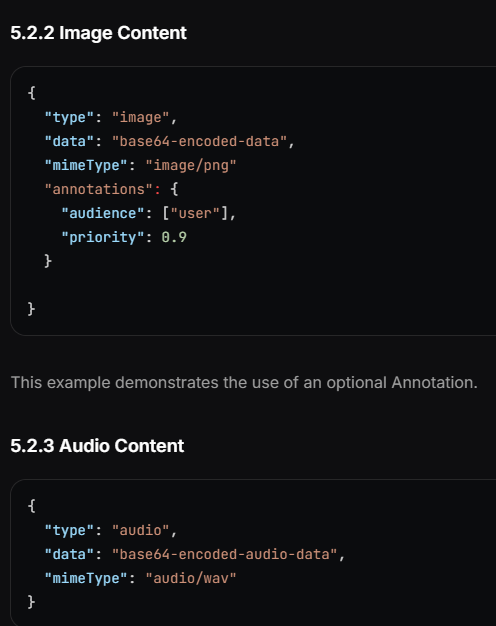
MCP 开发工具链
开发工具
@modelcontextprotocol/sdk - npm 是 node 的sdk,提供了 McpServer、registerTool、transport 等模块,能够简洁地开发 MCP 服务
zod 是一个辅助进行参数校验和说明的库,能够方便的生成 schema 描述。这里有个小坑,能适配 mcpsdk 的是 zod@3 系列版本,而 zod 现在已经有 4系版本了,所以安装时要记得 pnpm add zod@3
Debug 工具
@modelcontextprotocol/inspector 官方 inspector 工具。
可以在上边测试本地写的 MCP 服务,是否符合规范
实战
先来个 stdio通信的MCP服务,提供一个 add tool
import { McpServer } from "@modelcontextprotocol/sdk/server/mcp.js";
import { StdioServerTransport } from "@modelcontextprotocol/sdk/server/stdio.js";
import { z } from "zod"

const server = new McpServer({
    'name': 'loop server',
    'title': 'loop server',
    'version': '1.0.0'
})

server.registerTool(
    'add',
    {
        title: 'Addition Tool',
        description: 'Add two numbers',
        inputSchema: { a: z.number(), b: z.number() },
        outputSchema: { result: z.number() }
    },
    async ({ a, b }) => {
        const output = { result: a + b };
        return {
            content: [{ type: 'text', text: JSON.stringify(output) }],
            structuredContent: output
        };
    }
);

const transport = new StdioServerTransport()
server.connect(transport)
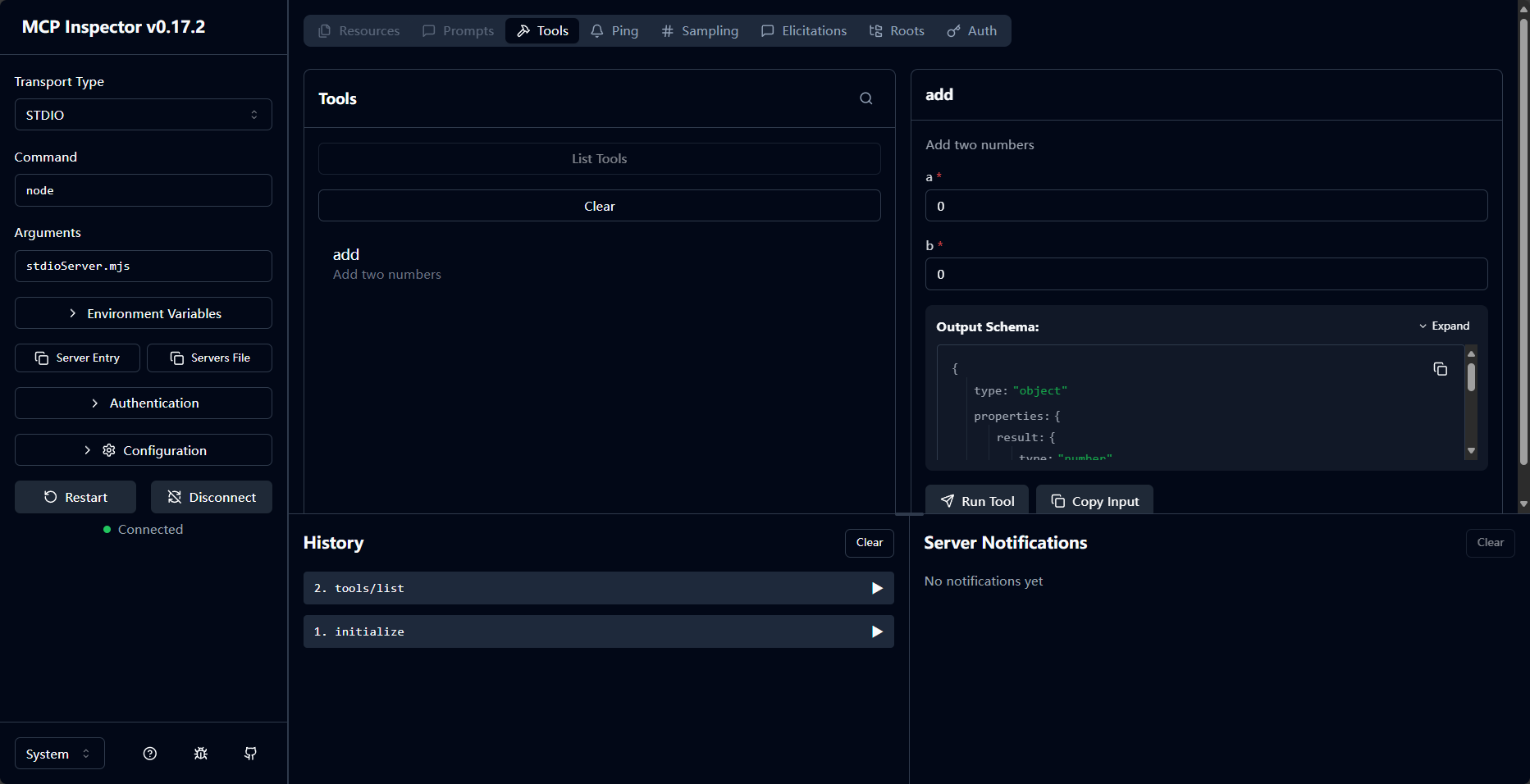
然后用 inspector 测试我们的本地MCP服务
- 启动
pnpx @modelcontextprotocol/inspector - 在左侧设置transport,command 和 args,然后 connect
- 自动发一个 initialize,连接成功
- 然后可以 lists Tools
- 针对单个函数,右侧可以看到函数的具体 schema 信息,也可以调用
接入大模型
VSCode Copilot 中的 configure tools 面板,可以看到,内置了很多的MCP服务,为大模型提供了 文件编辑(edit)、联网搜索(fetch)、文件管理(new、search)、终端调用(runCommands) 等等功能。 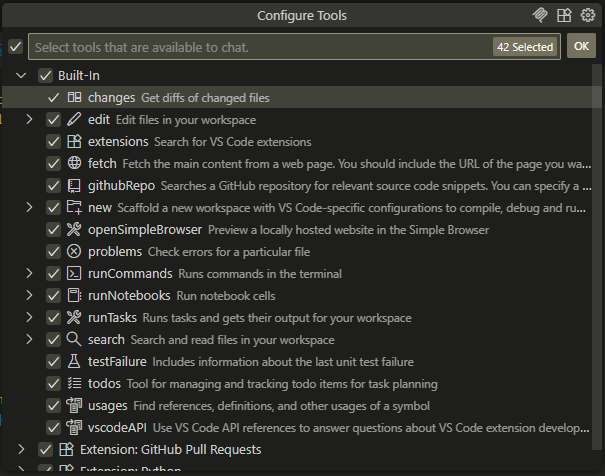 我们也可以接入自己的 MCP 服务,除了 stdio、http 之外,现在甚至 MCP 服务也可以包、容器的形式接入了。
 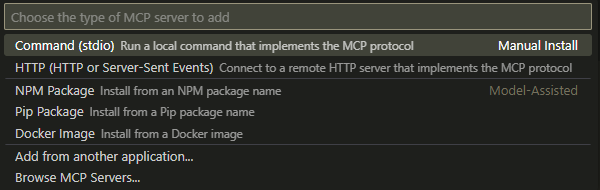 这里我选择本地手动导入我们的 stdio 的MCP服务,点击 running 就跑起来了,可以看到发现了一个 tool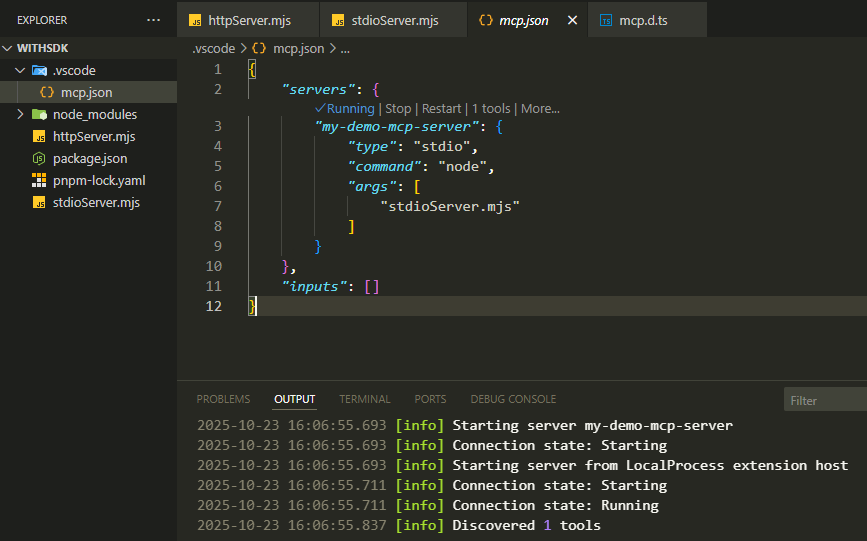
可以看到我们的服务成功接入。 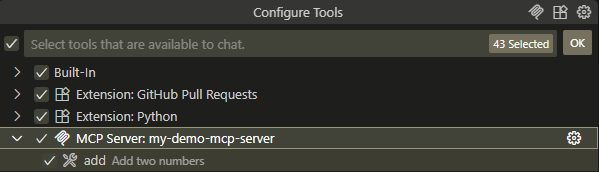
然后问个问题,请问 3 和 2 的和是多少? 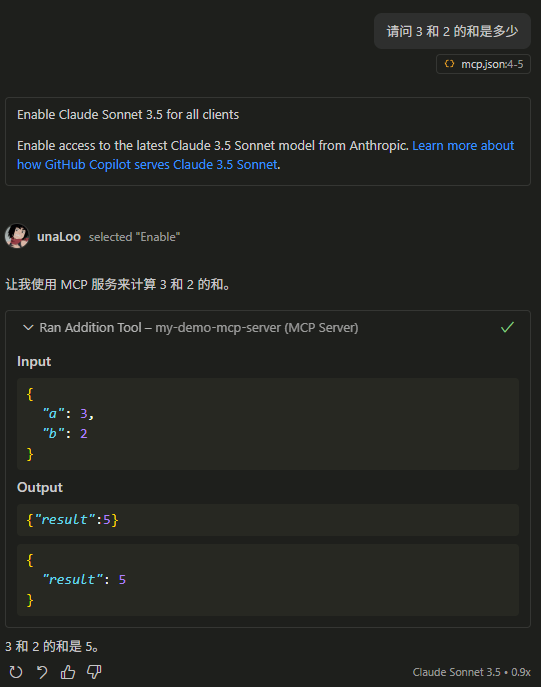 可以看到,大模型调用了我写的 tool,并把结果进行了润色输出。
整个过程如下图: 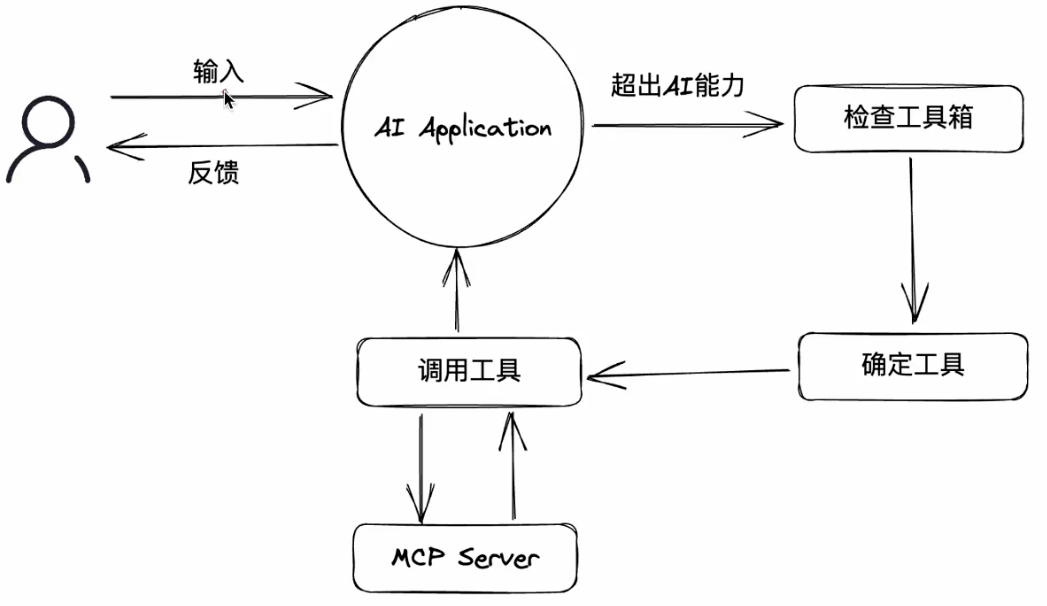 如果我们写一套本地文件系统的增删改查 tools,并启一个 MCP 服务,那么大模型就可以帮助我们去管理文件了!
Summary and Next
Tools 是我们拓展 AI 能力的一个重要途径,Tools 是武器库,AI 是火柴人,可以这么理解。而 MCP 是 Tools 的规范,相当于是火柴人如何使用武器的规范。
有了 MCP,每个人都能开发工具,不同的大模型也都能去使用这个工具,由此形成一个蓬勃发展的、开源的技术生态。
MCP,Model Context Protocal,模型上下文协议。旨在为 AI 与外部程序之间建立通信标准,从而使得不同外部程序可以接入大模型,不同大模型也都可以使用同一外部程序
社区中也有很多 nb 的 MCP 服务,可以方便地接入。